

How to optimize your life for sustaining hobbies
Curious how to optimize your life to create more space for your hobbies? Read on to learn how you can do this.


Some people just seem like they get around to more. When starting to write this post, I came up with this pretty weak, kind of cookie cutter example of what that person who does it all would be doing. And frankly, it’s so highly variable because the people who do it “all” seem to have the quirkiest combinations at times. It could literally be an ordinary individual who works a day job, trains to kayak in a river across the state, and plays the saxophone in a progressive jazz band. When stumbling across real-life instances, you may find yourself wondering, “How do they do it? How do they even get around to all of this?”
It is not by chance that such individuals end up with these activity-driven lives. Those who have multiple projects and hobbies going on at any given time are typically strategic about how they workflow their lives to direct more time toward what they truly value. I am almost as equally passionate about productivity and systems as I am hobbies because of the impact good processes can have on our personal potential. To this end, I will provide some insights into how you can optimize your life to sustain your hobbies instead of them falling flat after a while.
The Tool You Didn’t Know You Need
Every process/configuration is going to look a bit different for you versus another person based on personal preferences and what simply works better for you. Despite what these differences may look like, I believe each person needs one tool to be an effective personal admin: a task manager.
A task manager is a tool you can use to determine what needs to get done next and keep your workflows streamlined. In my opinion, a task manager plays a crucial role in sustaining your hobby because, again, more effective time and task management = more time to direct elsewhere. The more you streamline what you know needs to get done to reduce your administrative overhead, the more you can focus on what you actually want to focus on.
I have experimented with various task management techniques over the years, but the most effective method I have found for managing tasks is with ClickUp. Even as a more analog person who prefers paper copies over looking at a screen all the time, I have found that ClickUp has worked so well for me because it keeps my calendars, tasks, priorities, reminders, goals, notes, links to review, and time reports all in one place, and because the tool is so easily adaptable. I strongly recommend checking ClickUp out if this is your first-time hearing of it. And no… they are not paying me to endorse them! It is just such a great tool that has gotten everything I want to track in order that I can’t help but share how awesome it is.
Sometimes you don’t know how effective an approach is until you try it out for a bit and see what’s missing. It took a series of months to get my ClickUp configuration to reflect how I wanted to manage my personal admin and hobbies, but I am finally pleased with how I set it up. Now I want to share these specific corners of my ClickUp since it has kept me on target with my hobbies and may help you achieve the same.
My Tasks
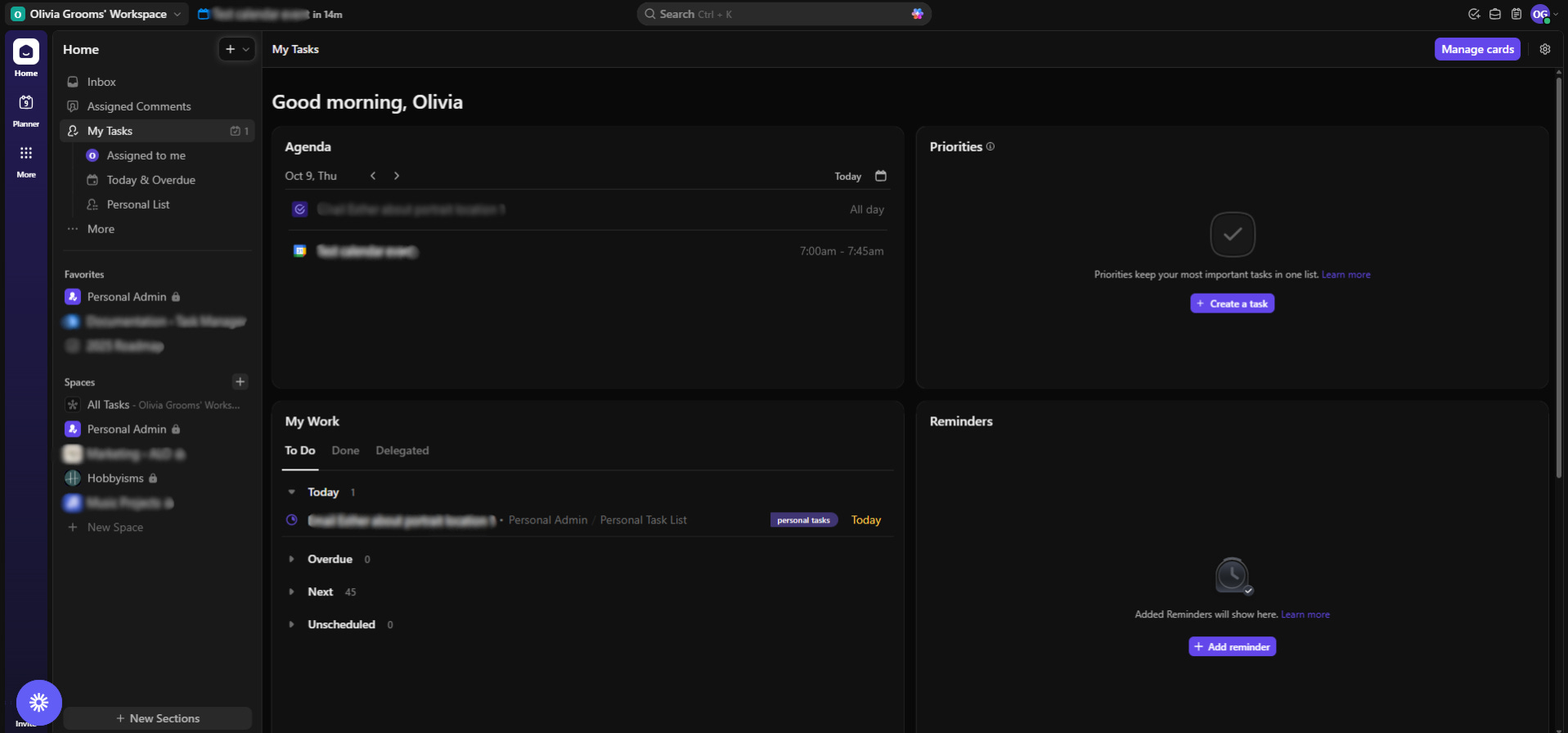
This is an overview where I see tasks and calendar activities that are scheduled. It gives me a snapshot of what I need to take care of, along with time blocks for what I want to get around to (if I feel like blocking out time for my hobbies in this way). Here, I can also see tasks due today, overdue, next, and unscheduled. Priority tasks and reminders also show in this same panel.
All Tasks (Calendar View)
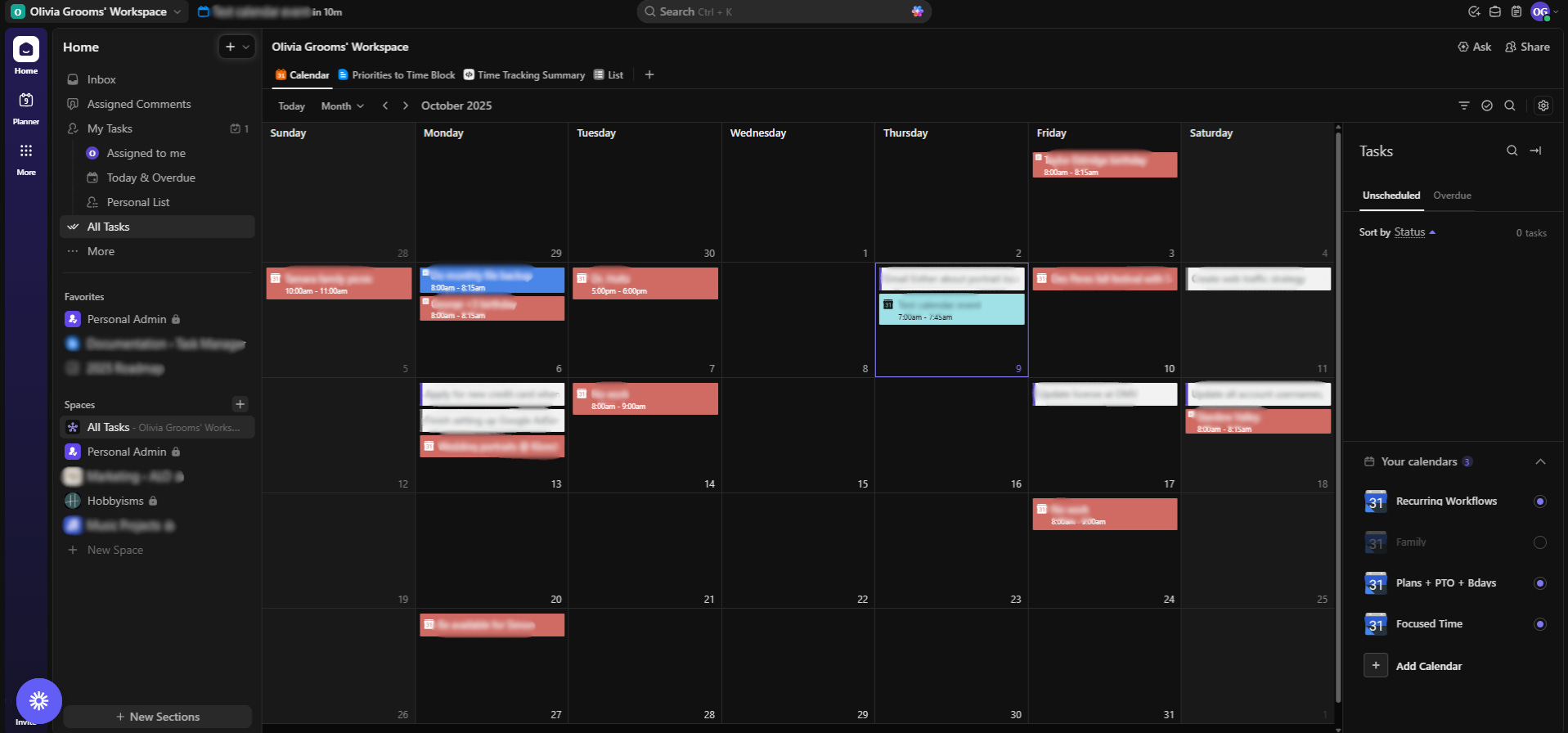
It is always helpful for me to have a higher-level view of what all is taking place during the month, so I refer to the calendar view often to see all the tasks/calendar events I have scheduled over the next 30 days. I have a few different calendars integrated with my ClickUp: Plans + PTO + Bdays (self-explanatory), Focused Time (a calendar for blocking out time for my hobbies), and Recurring Workflows (reminders set on repeat for certain things to do).
Personal Admin
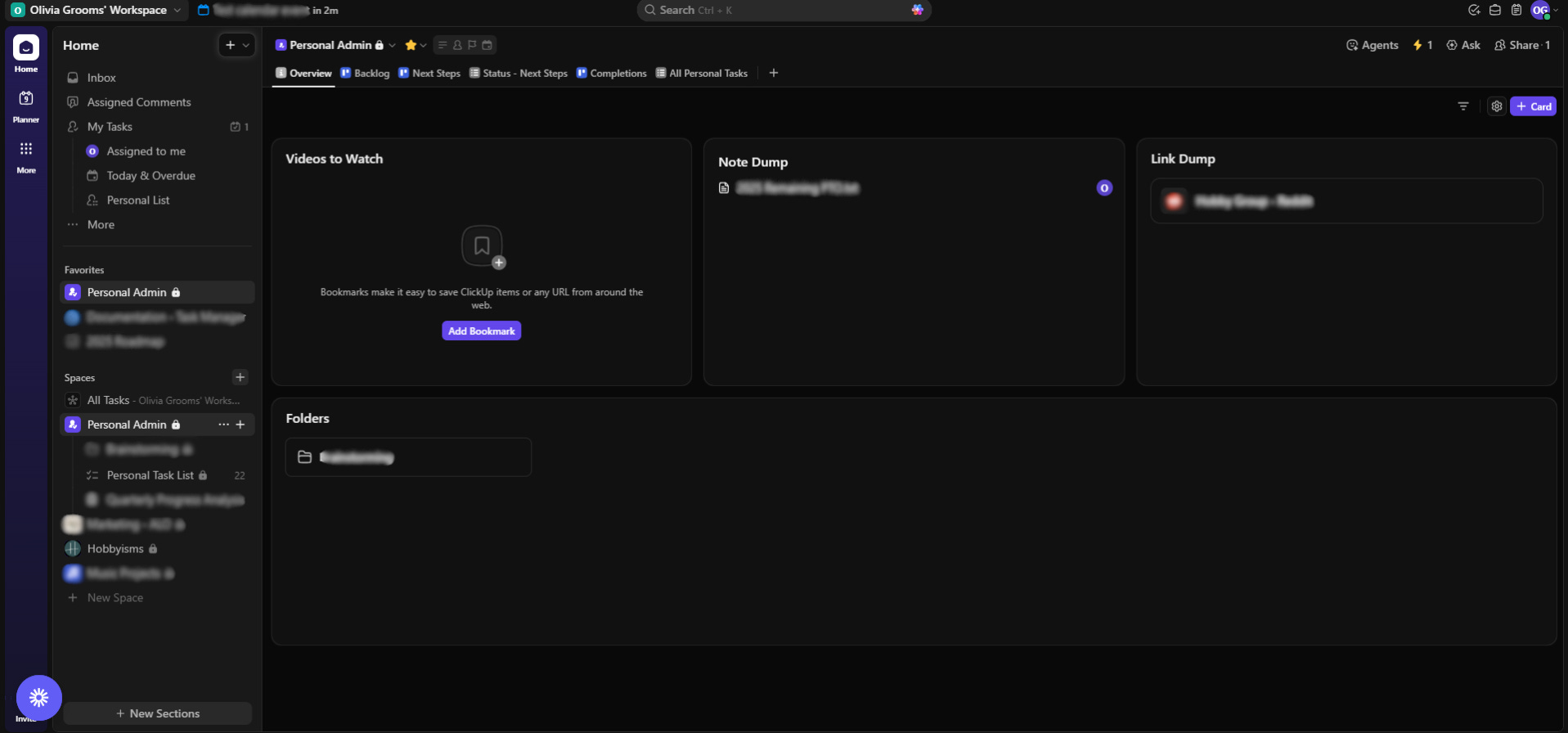
This is the most critical Space in my ClickUp. When I click into Personal Admin, I see another overview screen that is intentionally set up a bit different. As someone who bookmarks many videos and links to check out later (mostly related to my hobbies), this is my dedicated zone to keep that all centralized. Once I finish reviewing those, I remove those from here to only keep what I still need to review at a later date.
This is the most critical Space in my ClickUp. When I click into Personal Admin, I see another overview screen that is intentionally set up a bit different. As someone who bookmarks many videos and links to check out later (mostly related to my hobbies), this is my dedicated zone to keep that all centralized. Once I finish reviewing those, I remove those from here to only keep what I still need to review at a later date.
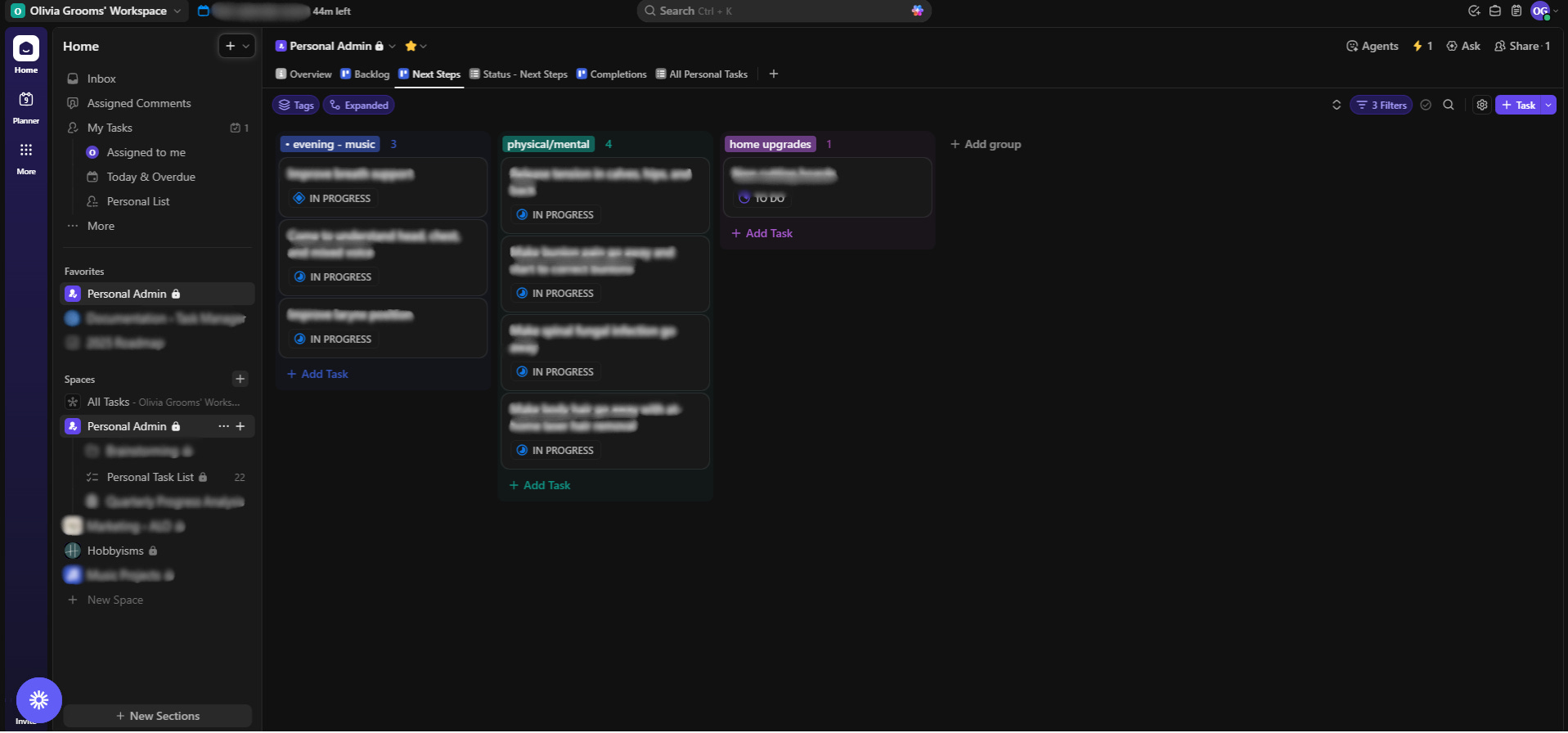
Another critical aspect of my Personal Admin is my Kanban boards. I knew that I wanted Kanban boards for my hobbies and other projects grouped by status that were separate from the rest of my tasks, as the next steps I outline for my hobbies are not date sensitive. I treat “tasks” related to my hobbies as low pressure but important to complete, and the idea of making hobby “tasks” part of my overall task/event calendar seemed like it would convolute what I actually need to get done by a certain date while also adding more perceived pressure for me. So, keeping the two separate works best with how I approach things.
The three Kanban boards I have include Backlog, Next Steps, and Completions. I have a Kanban column for each of my hobbies/projects (grouped by Tag) that shows exactly what I want to stay focused on until those “tasks” are Complete and move some more into the Next Steps board from the Backlog board (only some are shown below due to what I specifically choose to track). Establishing up to a few focuses per hobby keeps it more manageable for me while always maintaining clarity on what to do next. I also recently added a Status – Next Steps list to my Personal Admin that includes my current focuses so I can see my latest status comment.
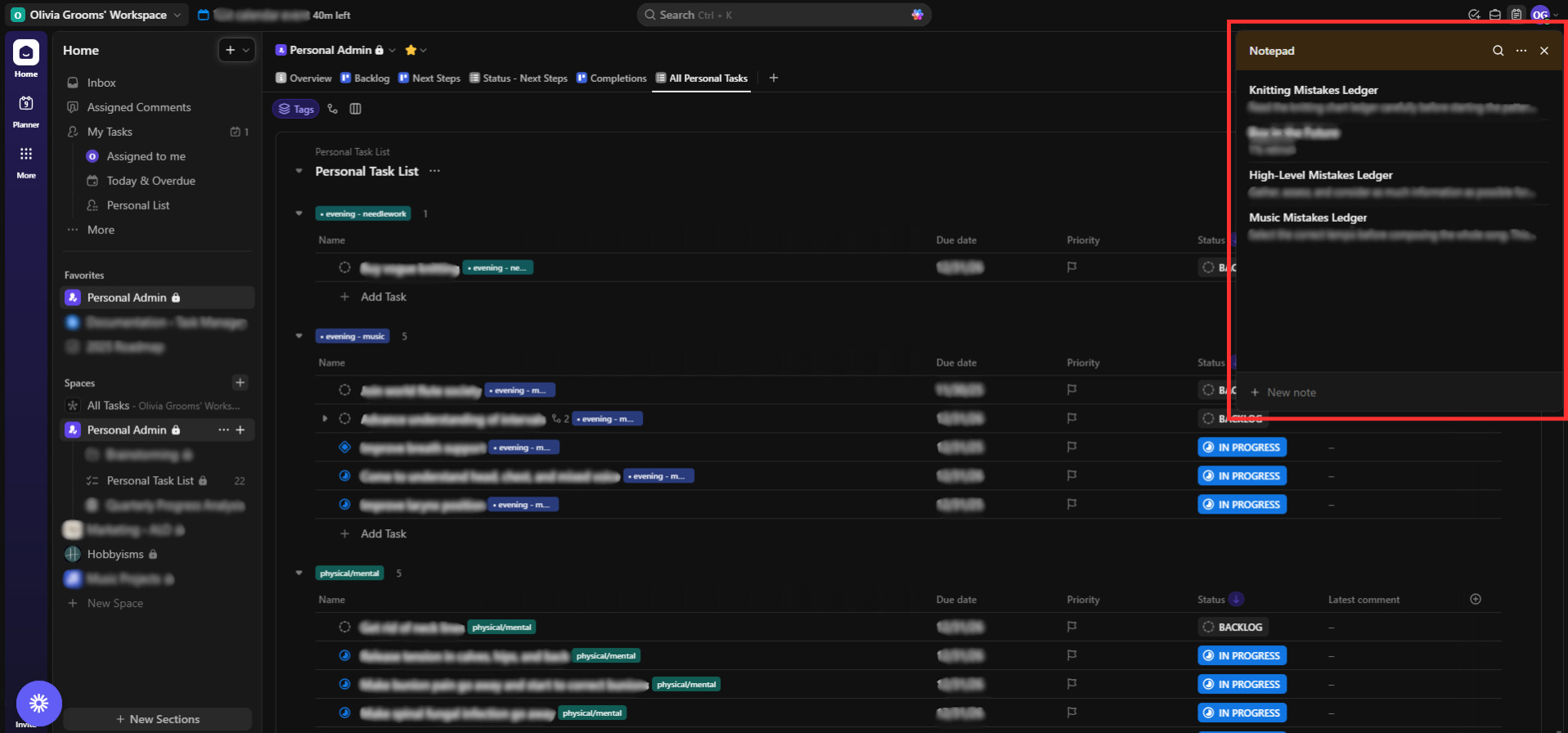
Notepad
This little widget I mostly use to keep what I like to call “mistake ledgers” for my hobbies. These are essentially just lists where I write the mistakes I’ve made with these hobbies to know what to learn from and remain cognizant of going forward. The most mistakes I’ve made with any of my hobbies is with knitting, and by keeping this list and referring to it from time to time, I’ve vowed for history to not repeat itself! If your hobby requires a certain level of quality or technique for the end outcome to turn out well, I also strongly recommend starting your own mistakes ledger(s) to improve at your hobbies more effectively.
To Tie it All Together
You can make a lot more headway with your hobbies and sustain them much better by adopting a task manager that serves as your personal admin and next steps reference. The way I have set my system up is one way to go about it (and it has worked very well for accomplishing everything I have set out to), but there are many other tools and techniques you can use that may also help in a similar way.
The bottom line is, serious hobbiers need serious systems. It can take a bit to figure out how to set up a task manager to work well for you, but you’d be amazed at how much more time you free up to do what you genuinely want to do.
Happy hobbying!